Billing & Subscriptions
How to update payment method?
Updated by Julien on October 15, 2025
Keeping your payment information current ensures uninterrupted service. This guide shows you how to update your payment method quickly and securely, so your billing is always accurate.
1
Navigate to the billing page
-
Navigate to the organization view
-
Click the Billing & usage menu.
2
Check the current payment method
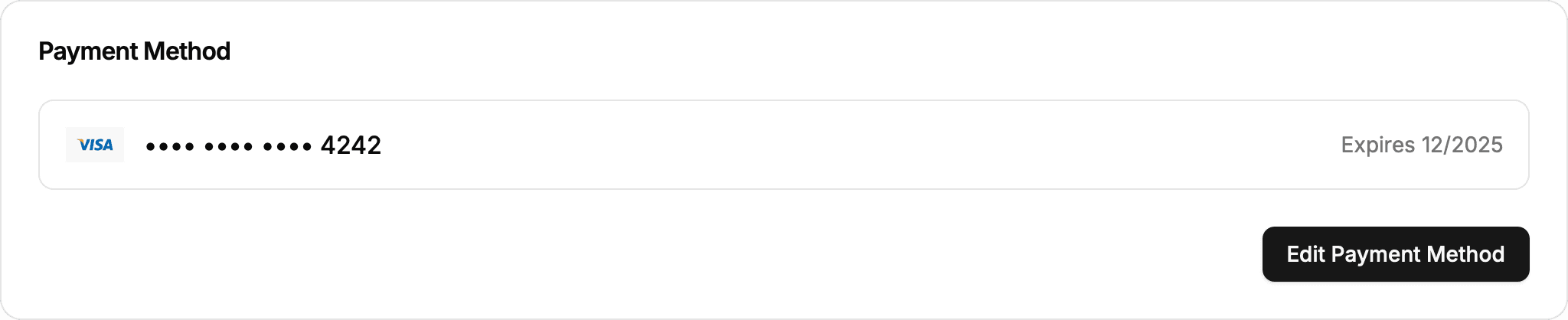
Locate the Payment method card and check that the stored card information is still valid.
3
Update the payment method
-
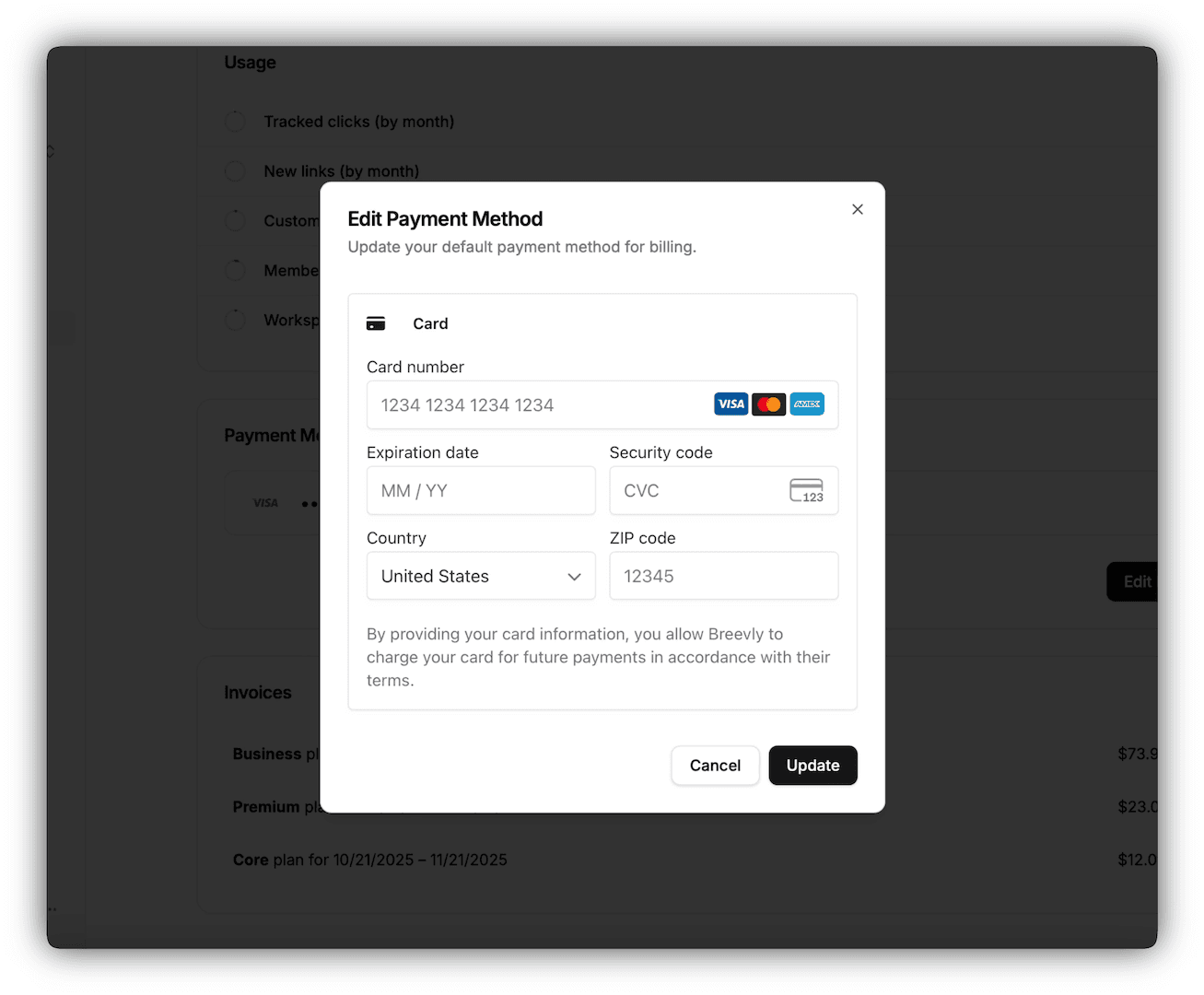
Click on Edit Payment Method button
-
Enter the requested information:
- Card number
- Expiration date
- Security Code
-
Pick the billing country and provide any additional details requested (such as ZIP code or cardholder name).
-
Click Update