Organizations
How to delete an organization?
Updated by Julien on October 15, 2025
If you no longer need your organization on our platform, you can permanently delete it.
Important notes
-
Deleting an organization is permanent and cannot be undone.
-
All workspaces, members and settings within the organization will be permanently lost.
-
Only organization owners have permission to delete an organization.
-
Any active subscriptions linked to the organization will be canceled and not refunded.
Steps to Delete Your Organization
1
Select the organization you want to delete
-
Navigate to the organization settings
-
Switch to the organization that owns the workspace you want to delete.
2
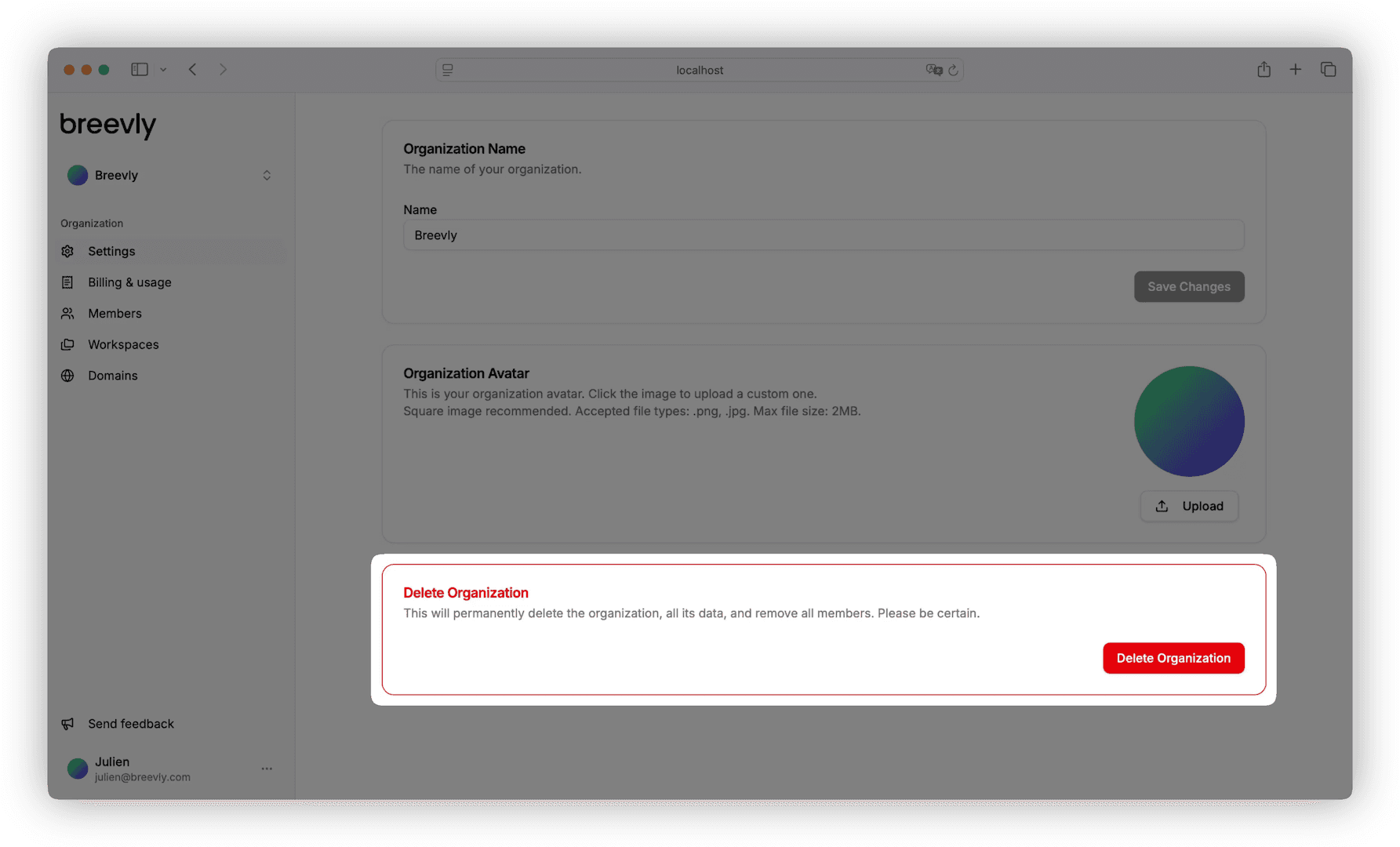
Navigate to the organization settings
Find the Danger zone in the Settings page.
3
Confirm organization deletion
-
Click Delete Organization.
-
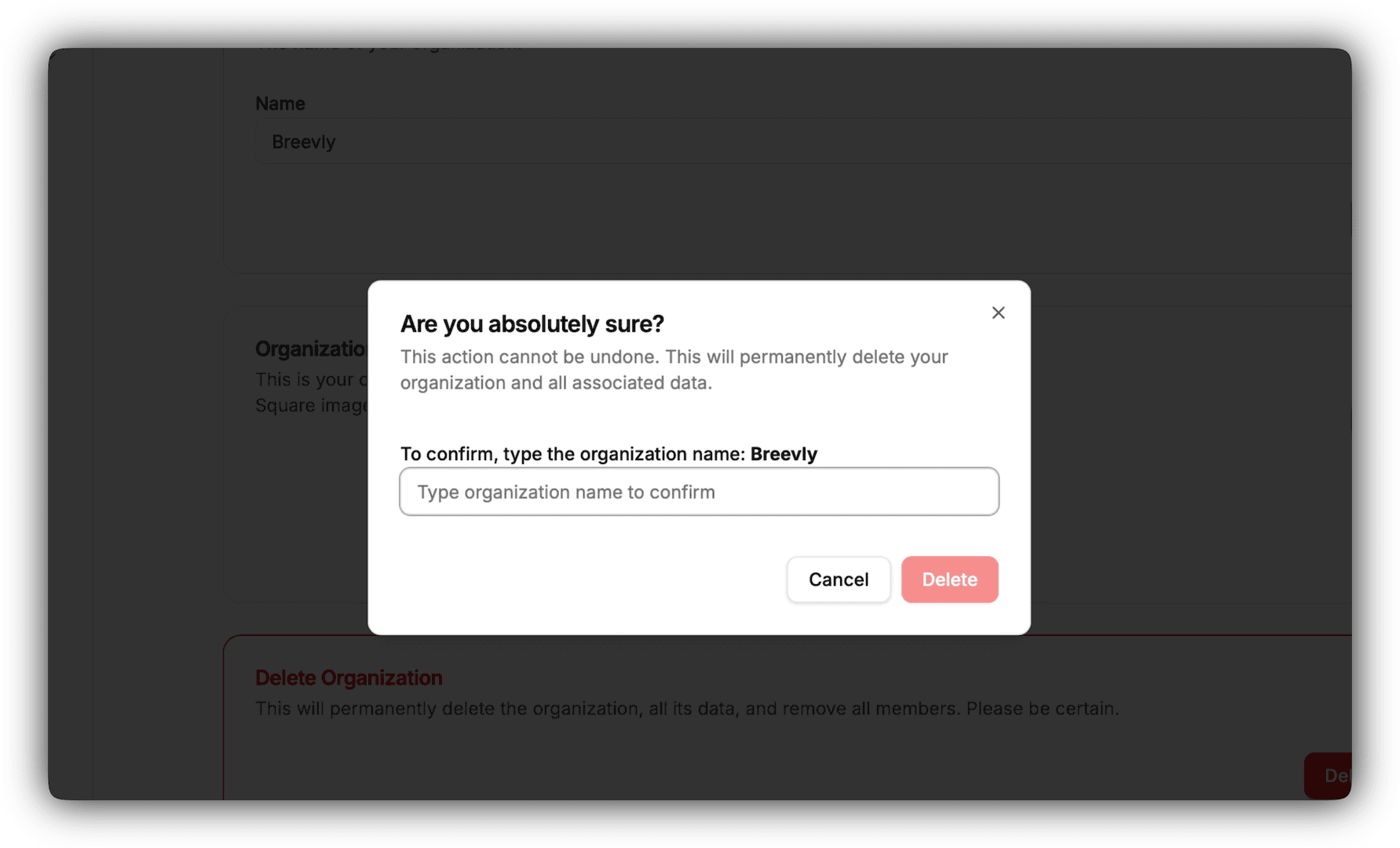
Type the organization name to confirm.
-
Click Delete in the dialog to remove the organization.