How to create a new workspace?
The number of workspaces you can add depends on your current plan.
Upgrade if you need additional workspaces.
Creating a new workspace allows you to organize your projects, collaborate with your team, and manage resources more efficiently. Follow the steps below to set up a new workspace.
Create a workspace from the dashboard
-
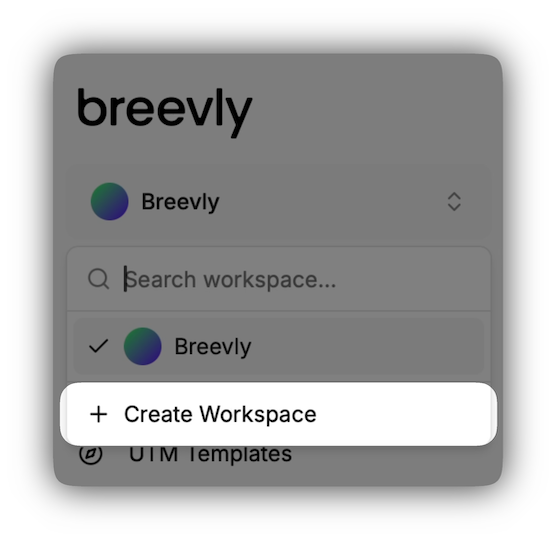
From your dashboard, click on the workspace name in the top-left corner.
-
Click on Create workspace
-
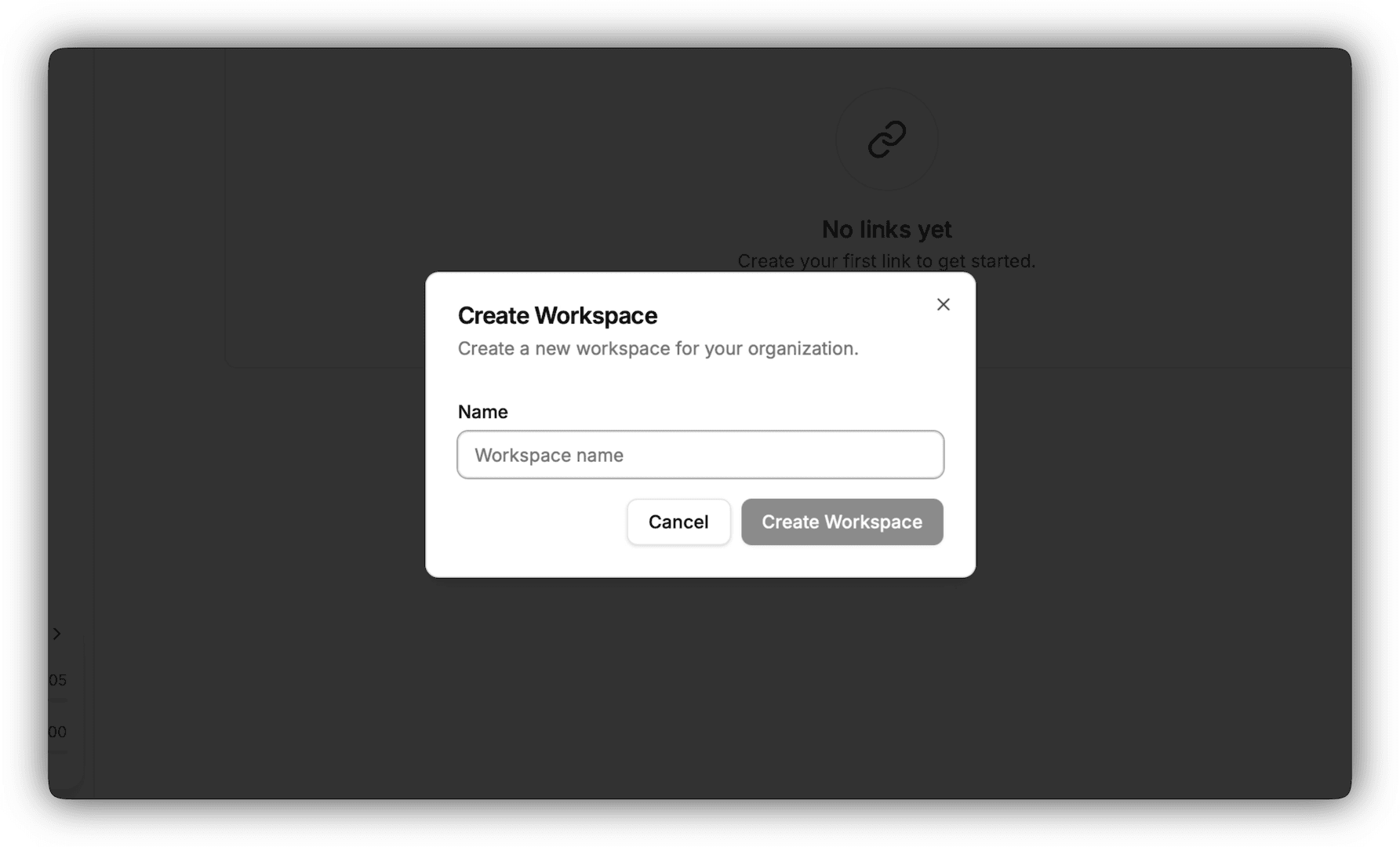
Enter a workspace name and click Create Workspace.
-
You will automatically be redirected to you new workspace dashboard
Create a workspace from the organization
-
Navigate to the organization view
-
Click the Workspaces menu to view all workspaces in the organization.
-
Click on the Create Workspace button in the upper right corner.
-
Enter a workspace name and click Create Workspace.
-
You will automatically be redirected to you new workspace dashboard