How to switch to another workspace?
If you’re part of multiple workspaces, switching between them is quick and easy. Follow the steps below to navigate to another workspace on your account.
-
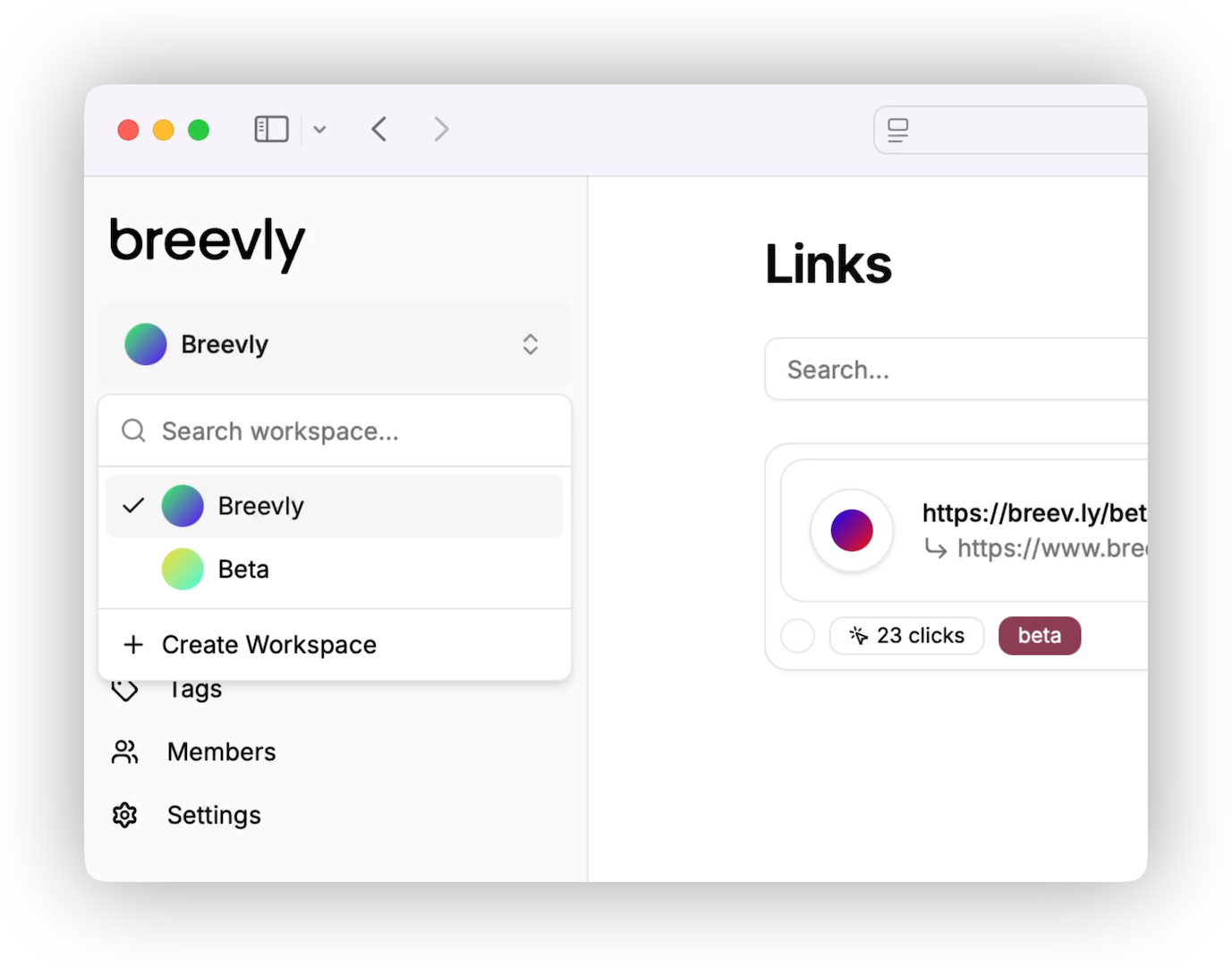
From your dashboard, click on the workspace name in the top-left corner.
-
You’ll see a list of workspaces you’re a member of. Click the name of the workspace you want to switch to. You also are able to search if you belong to a huge amount of workspaces.
-
The page will refresh, and you’ll be taken to the selected workspace’s dashboard.
What if you don’t see the expected workspace?
If the workspace you want to access isn’t listed:
-
Make sure you are a member of the workspace.
-
Check that you’ve switched to the organization that owns the workspace you want to access.
-
If you’re still having trouble, contact your organization’s admin or reach out to our support team.
Tips
-
Your permissions may vary between workspaces.
-
You can be active in only one workspace at a time.