Links
How to duplicate a link?
Updated by Julien on October 15, 2025
You can easily duplicate any link in your workspace to create a copy with the same settings.
1
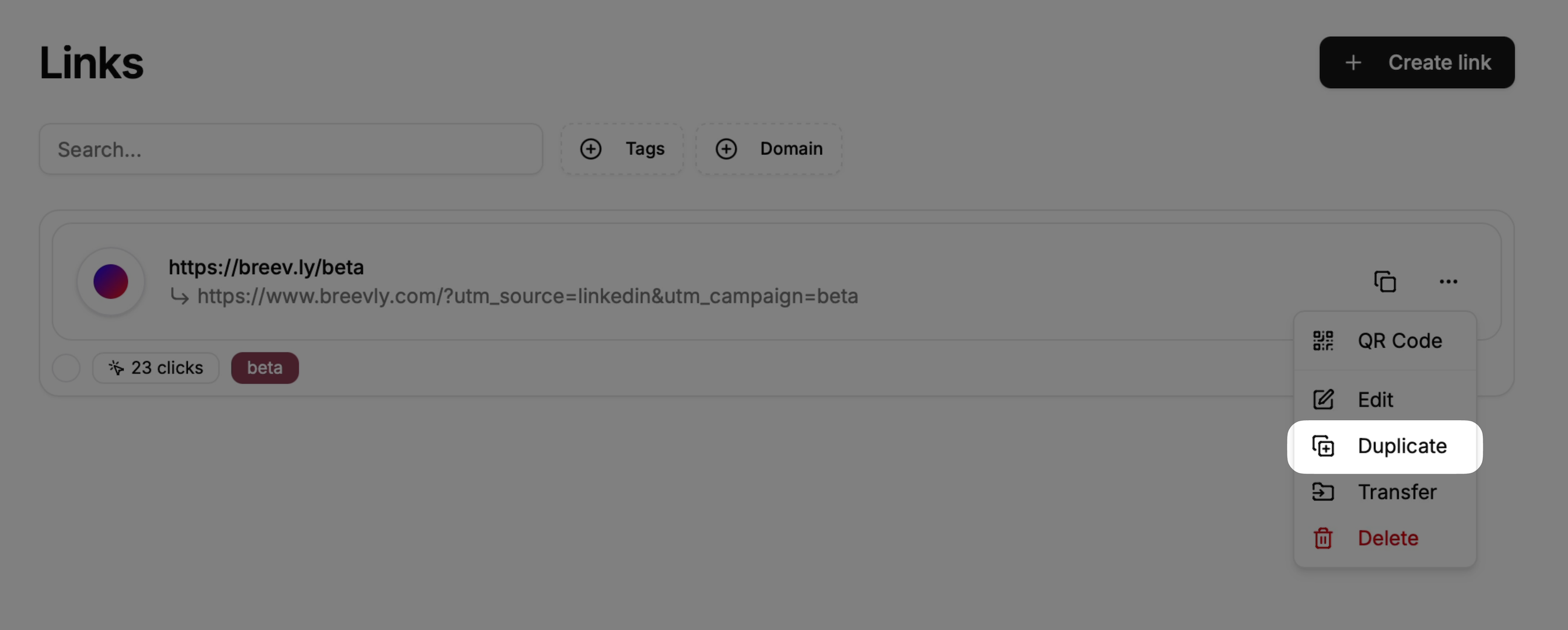
Open the link modal actions
Click on the more options button () available at the right side of your link row, and press on Duplicate
2
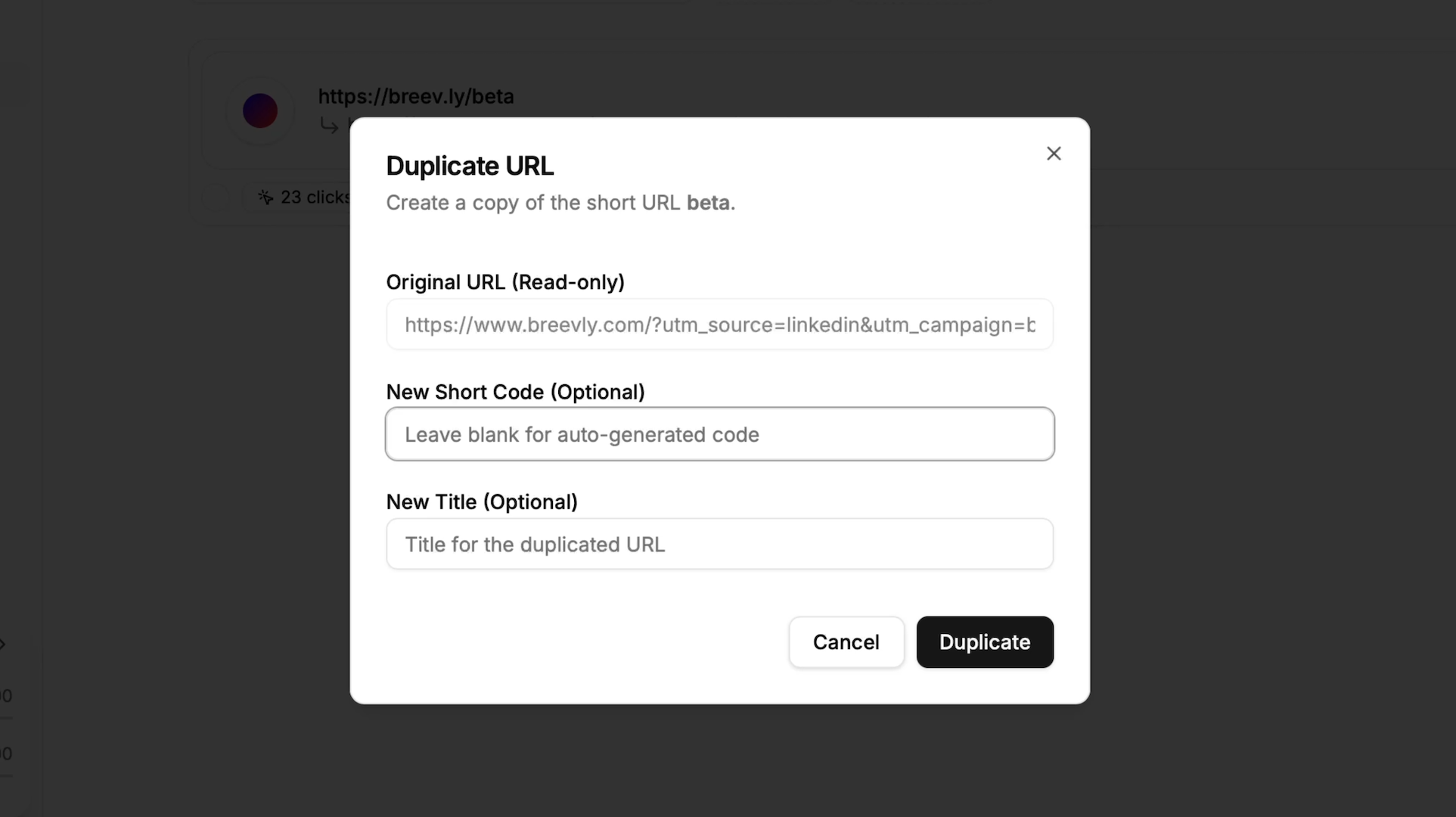
Choose a new short link slug
You can either choose a custom slug for the new short link yourself, or let the system generate one automatically when duplicating.
3