How to delete my Breevly account?
If you no longer wish to use our service, you can delete your account at any time. Please follow the steps below to permanently remove your account and all associated data.
This action cannot be undone. Deleting your account permanently erases your data and removes access to your links, analytics, and settings. Active subscriptions remain non-refundable.
How to Delete Your Account
-
Log in to your account on Breevly.
-
Click on the User button in the bottom left corner.
-
Click Account settings.
-
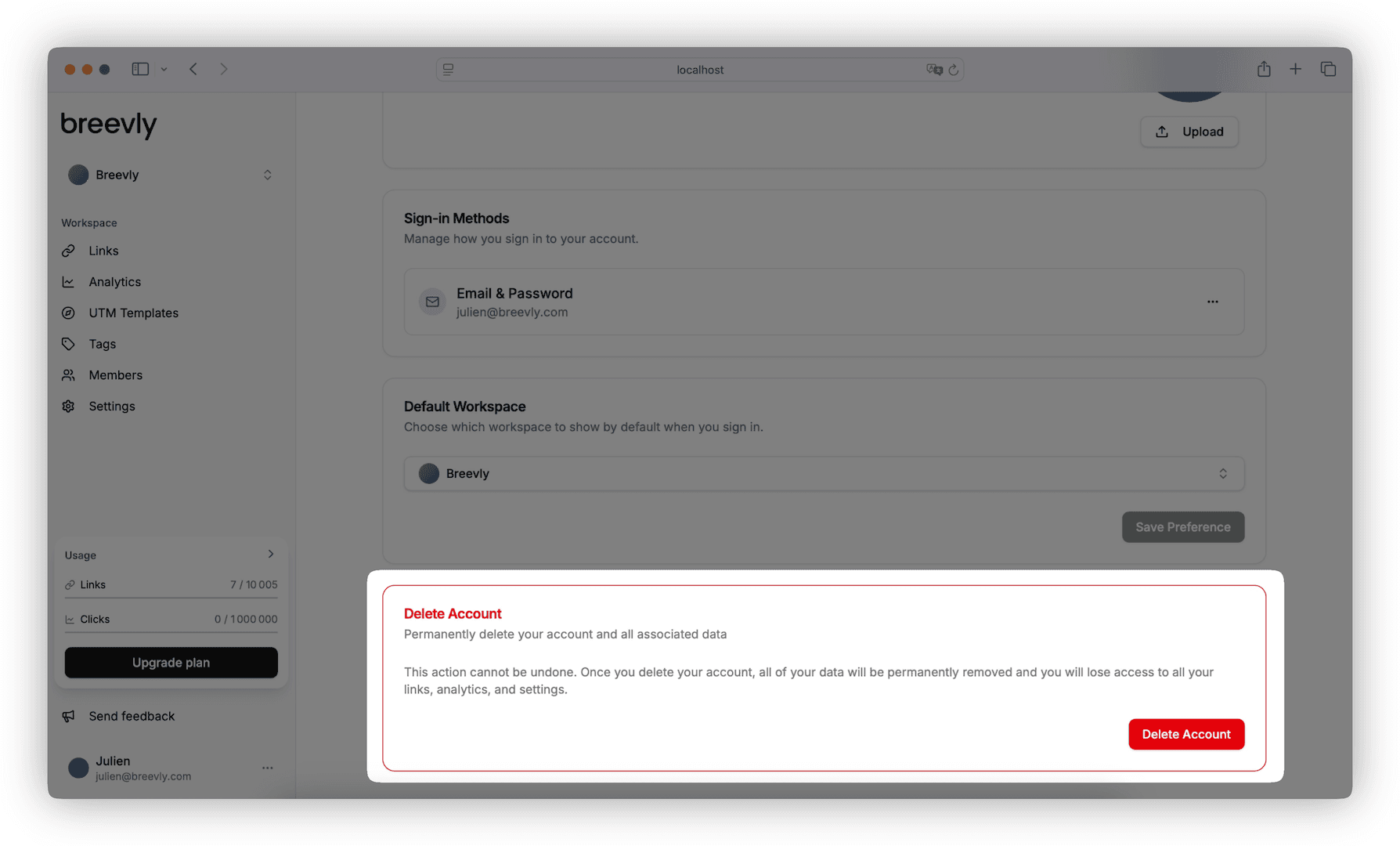
Scroll down to the Delete Account section.
-
Click the Delete Account button.
-
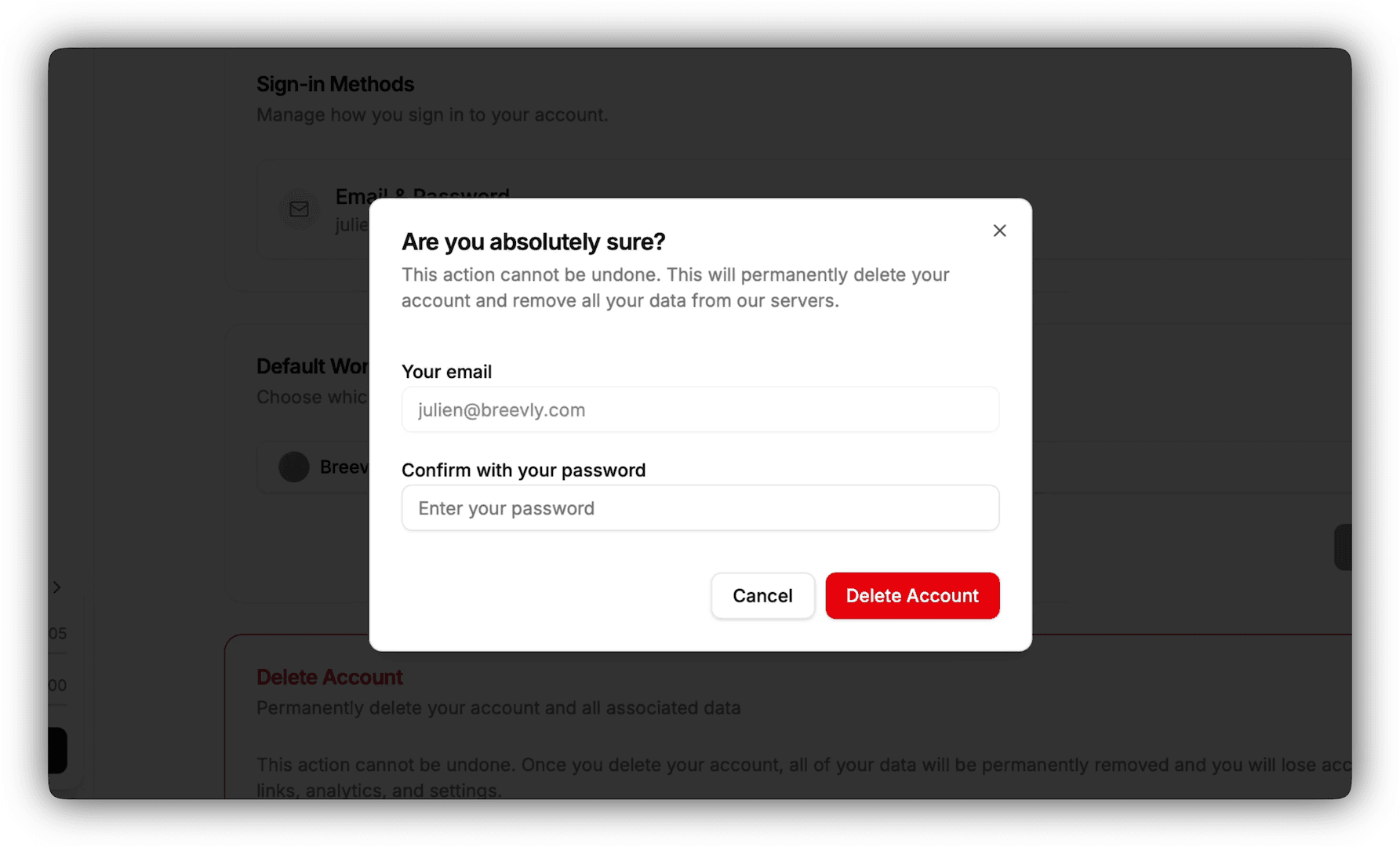
Confirm your decision by entering your password when prompted.
-
Click Delete Account to complete the process.
What Happens Next?
-
Your account and all personal data will be permanently deleted.
-
You will receive a confirmation email once the deletion is successful.